
Accounts
One bWalletX can hold several accounts. Each account has its own keys, balance, name and history. Use them to keep things apart: everyday spending, savings, a business, a project.
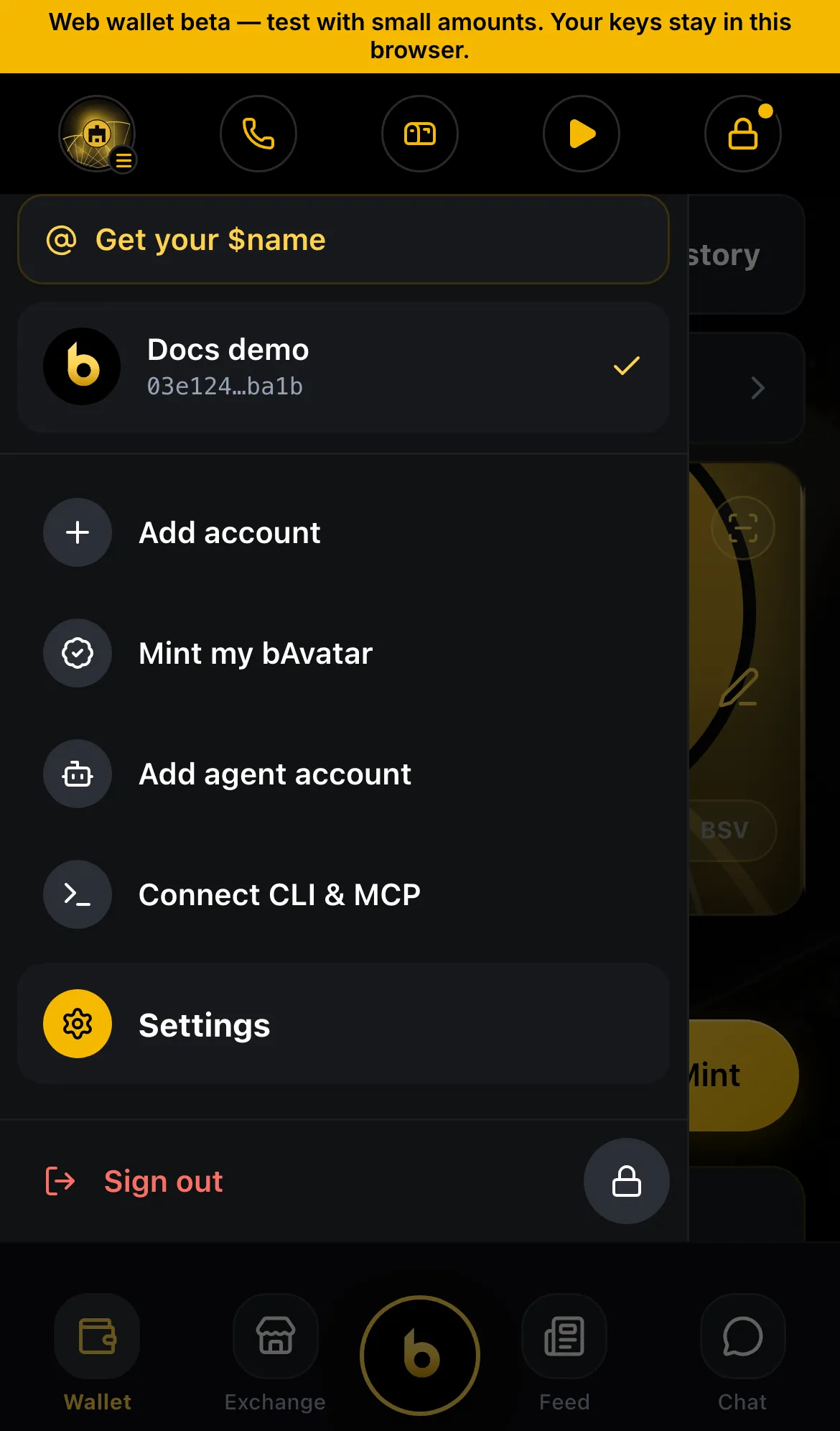
Switch accounts
Section titled “Switch accounts”- Tap your avatar in the top bar to open the account drawer.
- Tap the account you want.
Everything you see then belongs to that account: balance, tokens, NFTs, names and history.
Add an account
Section titled “Add an account”- Open the account drawer and tap Add account.
- Choose one:
- New: fresh keys, made on this device.
- Restore with recovery words: an existing wallet’s 12 or 24 words.
- Restore with a private key: a single key, for example from an old wallet or a paper wallet.
- Give it a name so you can tell it apart.
Accounts made from different recovery words are completely separate wallets. Back up each one.
Names on an account
Section titled “Names on an account”Each account can have its own paymail (name@bwalletx.com) and $handle. A name points at one account’s keys, so money sent to it lands in that account. Names explains how to claim one, and how to hand a name from one account to another.
Edit or delete an account
Section titled “Edit or delete an account”Settings › Manage Accounts lets you rename an account or remove it from this device.
Removing an account only removes it from this device. Its money stays on the chain. You can restore it later from its recovery words or key. Without those you can’t, so back up first.
- Give each account a clear name and, if you like, its own theme.
- Pots are accounts too: each pot gets its own fresh keys (Pots and subscriptions).
- Agent accounts are accounts with a budget for an AI (Agents).
Status
Section titled “Status”- ✓ Live: several accounts, each with its own name and keys
- ✓ Live: add by new keys, recovery words or private key
- ✓ Live: one paymail and $handle per account