
Balance, price and buying BSV
bWalletX shows money in dollars and pays in sats. You see a dollar figure; under it, the wallet spends the exact amount of BSV that’s worth at today’s price.
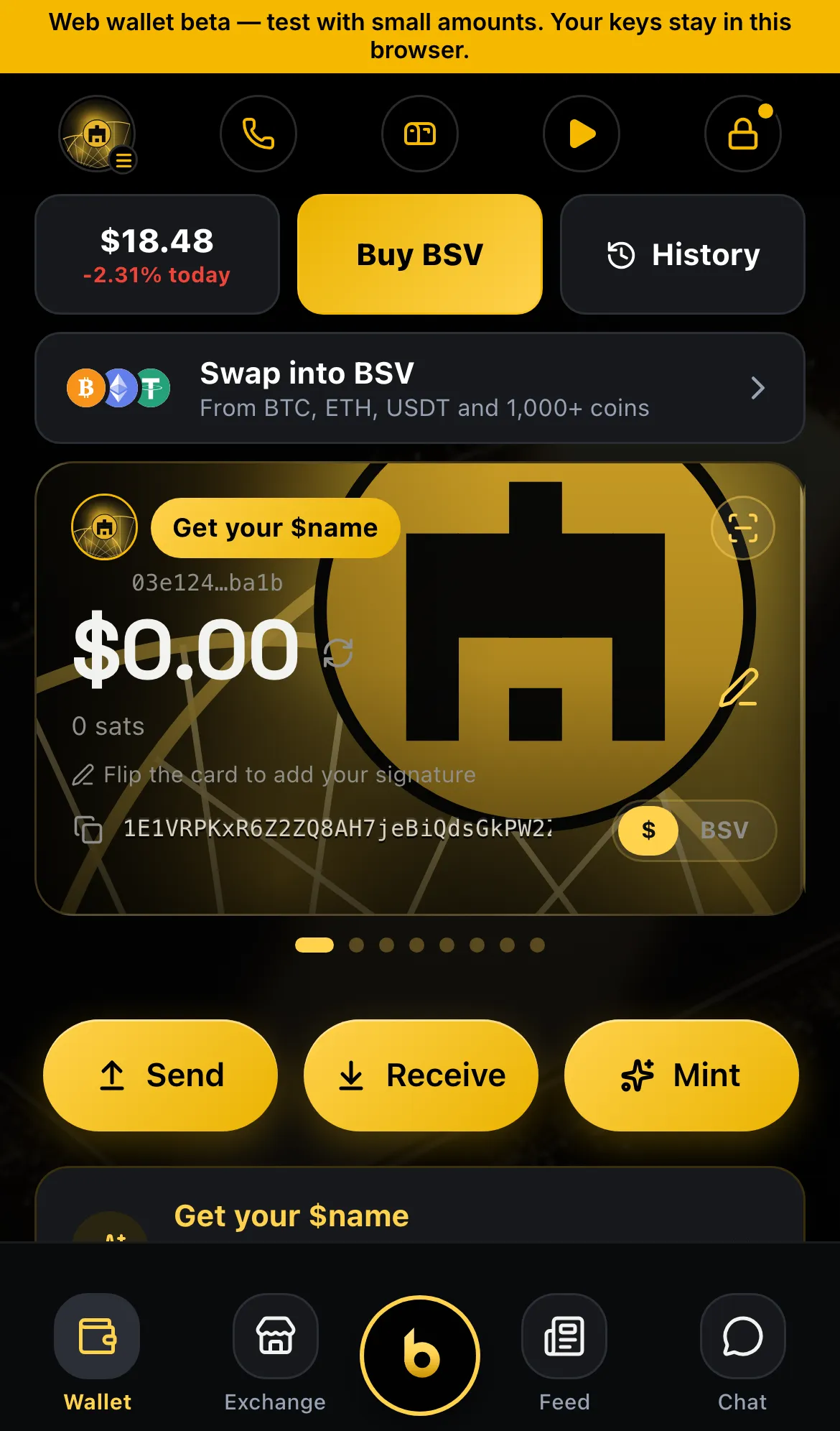
Your balance
Section titled “Your balance”The top of the Wallet tab shows your account’s balance in dollars. Change the display currency in Settings › Display currency.
Your balance counts coins the wallet knows are yours and can spend. A payment you just received may take a moment to appear while the wallet syncs. Pull down on the wallet to refresh.
Today’s price
Section titled “Today’s price”The price card shows today’s BSV price and today’s change in green or red. Tap it to open the BSV view with a live price chart.
Get BSV
Section titled “Get BSV”There are three ways to get BSV into bWalletX:
- Someone sends it to you. Share your paymail (
name@bwalletx.com), your$handleor your address (Send and receive). - Move it from another wallet you own. Restore or sweep that wallet (Bring in another wallet).
- Buy it with a card (bWalletX edition). Tap Buy BSV. A sheet lists card providers that sell BSV for dollars. Pick one, and it opens inside the wallet with your address filled in. The provider handles the payment and any identity check, then sends the BSV straight to your address.
Card purchases come from outside companies, not from us. Their prices, limits and checks are their own. Start with a small amount the first time.
Small amounts go a long way
Section titled “Small amounts go a long way”Network fees on BSV are tiny, usually a fraction of a cent. Many things in bWalletX cost about a penny: a like, a tip, a message to b. A few dollars of BSV is plenty to start.
Per edition
Section titled “Per edition”- bWalletX (iPhone, Android, web, extension): balance, price, chart and Buy BSV.
- bWallet (store edition): balance, price and chart. No Buy BSV sheet, because store rules don’t allow linking to outside purchases. Receive from a friend or another wallet instead.
Status
Section titled “Status”- ✓ Live: balance in dollars, with a choice of display currency
- ✓ Live: today’s price, daily change and chart
- ✓ Live: Buy BSV through card providers (bWalletX edition)
- ◻ Coming: buying through a partner with a smoother in-wallet checkout
- ◻ Coming: swap other coins into BSV in the wallet